TL;DR
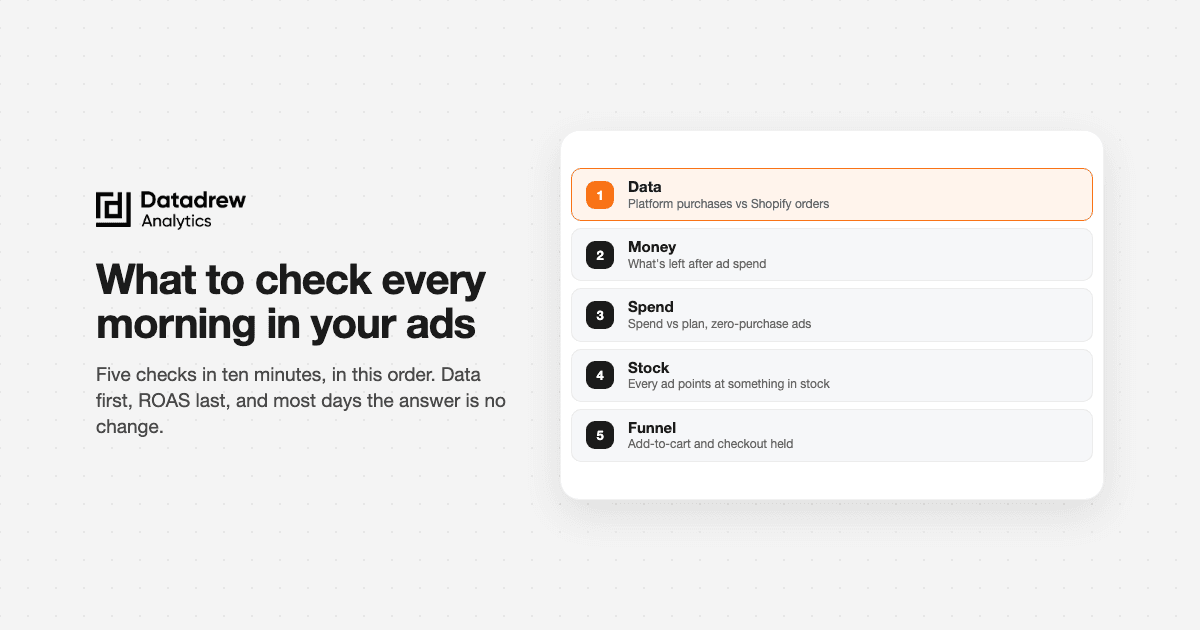
- Every morning, run five checks in this order: is the data whole, what did Shopify take, where did spend go, is every ad pointed at something in stock, and did anything break between the click and the order.
- Start with the data, not ROAS. If tracking broke overnight, every number after it is wrong.
- Compare yesterday with the same weekday last week and your 7-day average. "Yesterday vs the day before" is mostly noise.
- Check daily, decide weekly. Mornings are for catching breaks. Budget and creative calls need 7 days of data.
- Write a three-line brief and stop. Most mornings, the right action is no change.
- Copy-paste prompts at the bottom, for Claude, ChatGPT or Drew.
What should you check every morning?
Five things, in this order. The whole check takes about 10 minutes.
| # | Check | The question | Where to look |
|---|---|---|---|
| 1 | Data | Did tracking and syncs work overnight? | Platform purchases vs Shopify orders |
| 2 | Money | What did Shopify actually take, and what did it leave you? | Shopify orders, revenue, margin after ad spend |
| 3 | Spend | Did spend go where you planned? | Spend vs budget, delivery, ads with spend and zero purchases |
| 4 | Stock | Is every ad pointed at something you can sell? | Inventory on each advertised product |
| 5 | Funnel | Did anything break between the click and the order? | Add-to-cart rate, checkout completion |
Then write a three-line brief: what moved, why, and what you'll do (usually nothing).
The order matters. Most morning checklists start with ROAS. But ROAS is the last number you can trust if the data under it is broken. So check the plumbing first, then the money, then the ads.
Why most morning checks go wrong
Most morning checks are really one question: "why did sales drop yesterday?"
That's what we see in Drew, our AI ads agent for Shopify. Over one month this autumn, "why did sales or ROAS drop yesterday" came up in 9 separate threads across 7 stores. One agency asked it word for word for two clients, five minutes apart. At one brand, the team ran a "yesterday vs a good day" check almost every morning. It made up more than half of everything they asked Drew.
The answers were rarely "the ads stopped working." Two patterns came up again and again:
- The drop was their own edit. One store raised its budget the night before, and ROAS roughly halved the next day. The ads hadn't got worse. The account was spending into new, colder auctions.
- The ads were fine, and the checkout wasn't. At another store, sessions held steady, but checkout completion fell by about a quarter. CPM was cheaper and CTR was flat, which rules out fatigue and auction costs. The right call was no change to the ads. They needed to check payments and discount codes.
So the job of a morning check isn't to grade your ads. It's to find out what changed and whether you caused it, before you touch anything.
Check 1: Is the data whole?
Start here, every time. If a pixel or sync broke overnight, everything below it is wrong.
Track the gap, not the numbers. Divide yesterday's platform-reported purchases (Meta plus Google) by yesterday's Shopify orders from paid traffic. That ratio is your tracking gap.
The gap itself is normal. Platforms over-count, and attribution windows differ. What matters is whether the ratio moved. If it sits at about 1.3 most days and reads 0.6 this morning, something is broken: a pixel, a checkout app, a consent banner, or a sync.
Rule of thumb: if the ratio moves more than about 20% from its 30-day normal, fix tracking before you read anything else.
Also check:
- Spend and orders both arrived for yesterday. A blank day usually means a sync, not a sales collapse.
- Purchase events are still firing on both platforms.
- No new "attribution setting changed" or account-level warnings.
Meta can take 24–72 hours to settle iOS-attributed purchases. A day that looks bad at 8am often looks normal by tomorrow. More on that in why is my ROAS down today?.
Check 2: What did Shopify actually take?
Now look at money, and start in Shopify, not the ad platforms.
- Orders and revenue for yesterday
- New vs returning customers
- Refunds and cancellations
- What's left after ad spend: revenue minus product costs, shipping, fees and ad spend. ROAS can look fine while this goes negative.
Compare against the right baseline. Don't compare yesterday with the day before. Mondays aren't Sundays, and paydays aren't the 20th. Use two baselines:
- The same weekday last week, which takes out the weekly rhythm
- Your 7-day average, which takes out one-off spikes
If yesterday is inside the range of your last four same weekdays, it's normal, even if it feels bad.
Know your break-even ROAS before you read any ROAS: 1 ÷ gross margin. At a 50% margin, you break even at 2.0x. At 40%, it's 2.5x. Running a discount raises it. The table is in our discount strategy guide.
Check 3: Did spend go where you planned?
Open Meta Ads Manager and Google Ads, set the date to yesterday, and check:
- Spend vs plan. Did any campaign overspend or stop delivering?
- Delivery problems. Rejected ads, billing errors, ads stuck in review, or limited delivery.
- Ads with spend and zero purchases. Flag any ad that spent more than your target CPA yesterday with no purchases. Don't pause it yet. Note it, and check it again in the weekly review.
- Edits. Did anyone change a budget, bid or audience in the last 48 hours? On Meta, a big budget jump or new creative can send an ad set back into learning, and results swing while it re-learns.
On Google, also glance at search terms on Shopping and Search campaigns once or twice a week. Junk queries add up quietly.
For the full list of places budget leaks, see the ad spend leakage audit.
Check 4: Is every ad pointed at something you can sell?
This is the check most checklists skip, and it's one of the most common leaks we hear about on calls.
A bestseller, or its core sizes, sells out. Meta and Google keep spending on it for days. The ads still get clicks, so CTR looks fine. But conversion rate drops, ROAS drops, and nobody checks stock, because Shopify inventory and the ad accounts sit in different tabs.
Every morning:
- List the products your top-spending ads point to.
- Check stock on each one, including the core sizes and colours, not just the product total.
- Flag any ad pointing at a product with only a few days of cover left.
Fixing this is usually simple: pause the ad, swap the link, or move budget to a product you can ship. The step-by-step version is in ad spend on out-of-stock products.
Check 5: Did anything break between the click and the order?
If ads are delivering and tracking is whole, but orders are down, look at the store.
- Sessions from paid traffic: did they hold?
- Add-to-cart rate: is it down?
- Checkout completion: is it down?
Read them together:
| What you see | What it usually means |
|---|---|
| Sessions down, CPM up | Auction got more expensive. Often seasonal |
| Sessions down, CTR down | Creative is tiring, or the offer stopped landing |
| Sessions steady, add-to-cart down | Product page, price or stock problem |
| Add-to-cart steady, checkout down | Checkout, payment, shipping rate or discount code problem |
That last row is the one that fools people. When checkout completion falls, the ad platform reports it as a ROAS drop. Cutting ads won't fix a broken payment method. See add to cart but not checking out.
Once a week, add to cart and buy something yourself on a phone. It takes two minutes and catches more than any dashboard.
Is it big enough to act on?
Now you know what moved. The harder question is whether to do anything.
Three rules:
- Is it outside the normal range? Compare it with your last four same weekdays. If it's inside, leave it.
- Did you cause it? Check your own edits from the last 48 hours first. A budget raise, new creative, or a paused ad set explains most overnight swings.
- Do you have enough data? One day is rarely enough. Most ad sets need about 50 conversions in 7 days before Meta's numbers settle. Below that, a bad day is noise.
If it passes all three, act, but make one change. If you change two things on the same day, you can't tell which one worked.
When you're reading a partial day, compare the same hours. 11am today vs 11am yesterday, not 11am today vs all of yesterday.
We go deeper on this in signal or noise: when to change your Facebook ads.
What should you check daily, and what should you decide weekly?
Mornings are for catching breaks. Most real decisions need a week of data.
| Check daily | Decide weekly |
|---|---|
| Tracking gap ratio | Budget shifts between campaigns |
| Spend vs plan, delivery errors | Pausing ads that spent with no purchases |
| Stock on advertised products | Creative refresh and fatigue |
| Checkout and payment health | Audience and targeting changes |
| Your own edits from the last 48 hours | Bids and ROAS targets |
| Margin after ad spend vs your target | Search term cleanup on Google |
If a morning check makes you want to change something in the right-hand column, write it down for the weekly review instead. That one habit stops most accounts from being edited to death.
The three-line morning brief
End the check by writing three lines. In Slack, in a note, anywhere your team will see it.
What moved: Revenue was 18% below the same day last week. Meta ROAS dropped from 3.4x to 2.6x.
Why: The tracking gap is normal. The hero product's core sizes sold out on Tuesday, and two top ads still point at it.
Action: Swap the link on those two ads to the second bestseller. No other changes. Re-check tomorrow.
Most days, the action line says "no change." That's the point. The brief shows you looked, and it gives you a written record to check against next week.
Prompts to run the morning check in Claude, ChatGPT or Drew
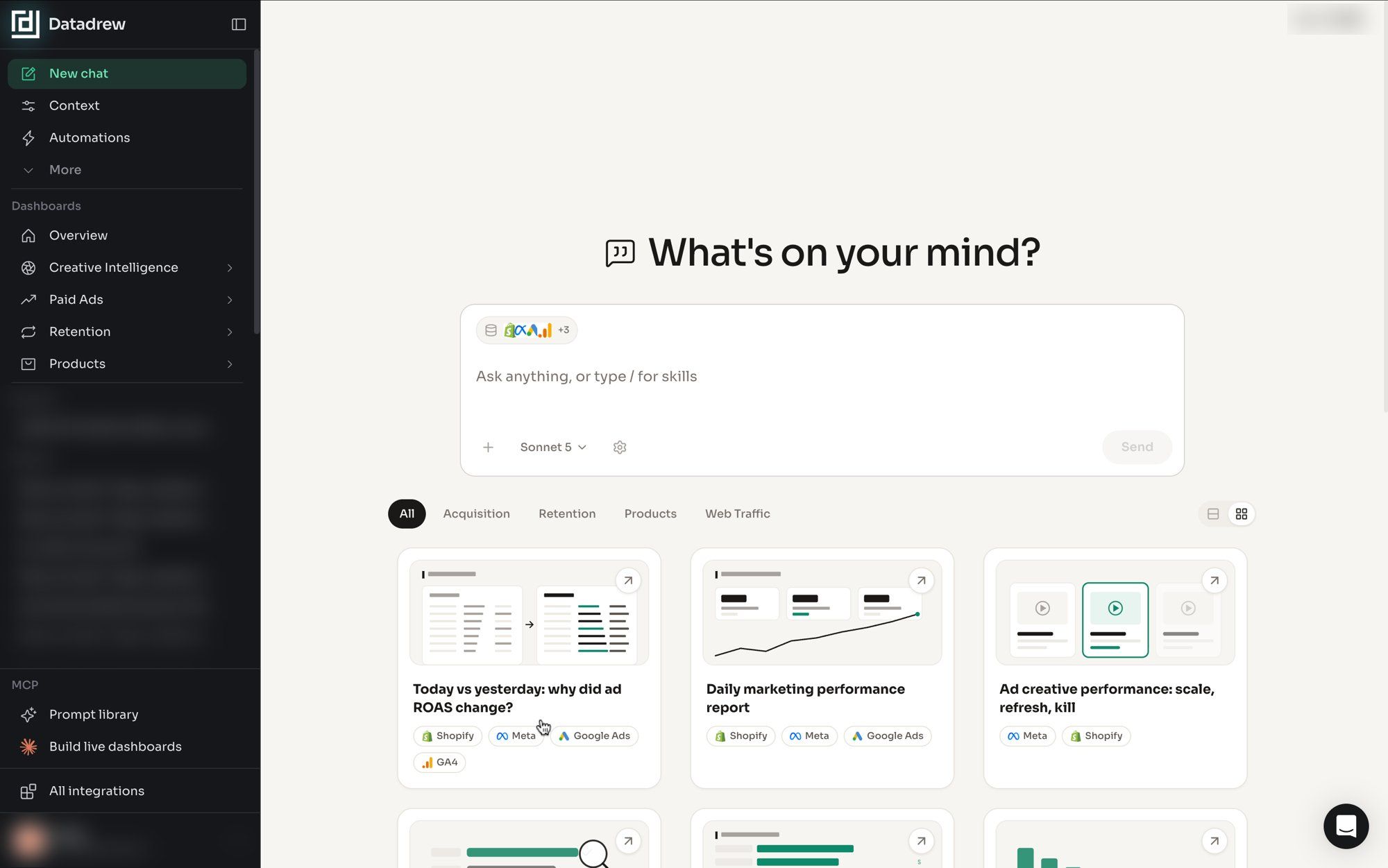
These work in any AI tool that can see your Shopify, Meta and Google data. In Claude or ChatGPT, that means connecting them first, for example with an MCP server. In Drew, they work out of the box.
1. The whole check
Run my morning ads check for yesterday. Compare against the same weekday last week and my 7-day average. Cover, in order: tracking gap (platform purchases vs Shopify orders), Shopify revenue and margin after ad spend, spend vs plan, ads with spend and zero purchases, stock on products my top ads point to, and add-to-cart and checkout rates. End with a three-line brief: what moved, why, and one action or "no change".
2. Is the data whole?
Divide yesterday's Meta and Google reported purchases by Shopify orders from paid traffic. Show the ratio for each of the last 30 days. Flag yesterday if it's more than 20% off the 30-day median.
3. Did I cause it?
List every budget, bid, audience or creative change in my Meta and Google accounts in the last 48 hours. For each one, show the campaign's spend, purchases and ROAS for the 3 days before and after.
4. Stock next to spend
List my top 20 ads by spend yesterday and the Shopify product each one links to. For each product, show current stock and days of cover at last week's sales rate. Flag any ad pointing at a product with under 7 days of cover or a sold-out core size.
5. Where did the funnel break?
Compare yesterday with the same weekday last week: paid sessions, CPM, CTR, add-to-cart rate and checkout completion. Tell me which step changed most, and whether it points to the ads, the product page or the checkout.
6. Is this normal?
Is yesterday's revenue inside the range of my last four same weekdays? If it's outside, by how much, and which products account for the gap?
Frequently asked questions
How long should a morning ads check take? About 10 minutes. If it takes longer, you're making decisions that belong in the weekly review.
Should I check ROAS every morning? Look at it, but don't act on one day of it. Check tracking and Shopify revenue first. A ROAS drop with a normal tracking gap and normal Shopify revenue is usually attribution timing, not a real drop.
Should I change budgets every day? No. Daily budget edits keep ad sets unstable. Shift budget once a week, in steps of about 10–20%, unless something is broken.
What if I manage several Shopify stores? Run the same five checks for every store and write one brief per store. Agencies usually batch this first thing, then send clients the brief. Our post on Shopify agency reporting covers the setup.
Does this change during Black Friday? Yes. On sale days, check the site every hour and the money once a day, and don't act on intraday ROAS. The full sale-week rhythm is in our BFCM checklist for Shopify ads.
Want the brief without the 10 minutes? Drew, our AI ads agent for Shopify, connects your Shopify, Meta and Google data and runs this check when you ask. It flags breaks and stock-blind spend, and it recommends one action. It doesn't change your ads for you. Try Drew on the Shopify App Store.