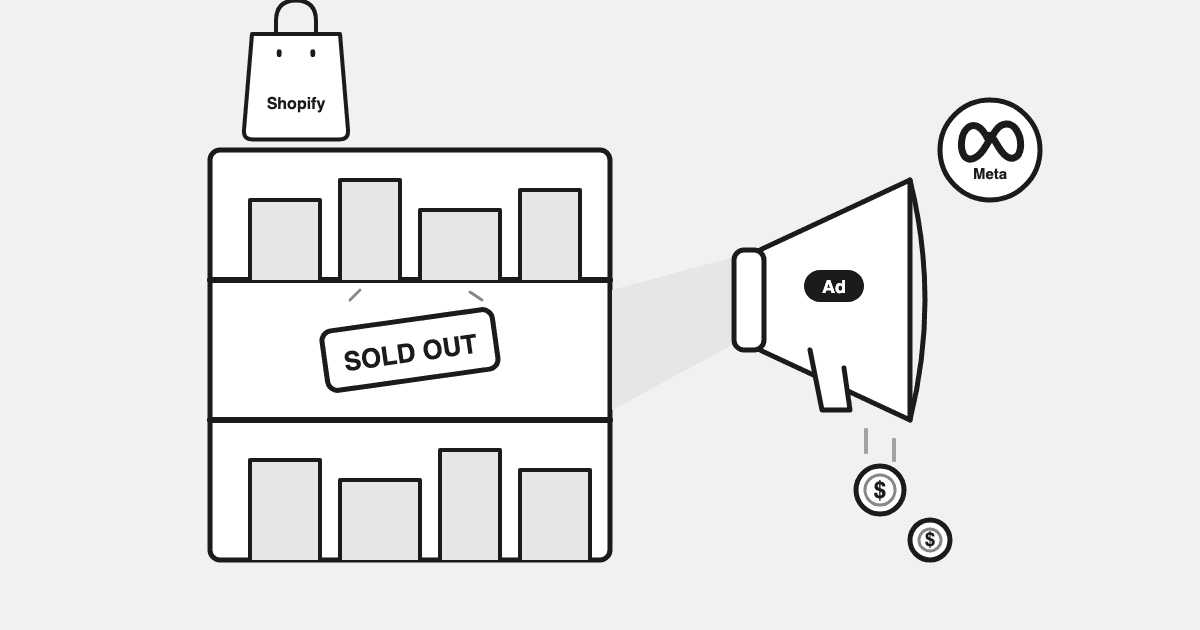
When a product sells out, your ads keep spending until something stops them, and for a static hero ad or a Search ad pointing at the product page, nothing does. Google Merchant Center and Meta's catalog stop the feed-driven formats within about a day. Everything else runs until a person joins two tables that never meet inside an ad platform: spend in the ad account, stock in Shopify.
"we ran ads to a sold-out product all weekend. google doesn't care that the shelf is empty." That line is from our operator research, a Shopify founder describing the Monday after a Friday-night stockout. A developer on the Shopify Community forum put the routine that follows in one sentence: "sick of manually pausing campaigns every morning (and still missing things on weekends)".
This is for the operator on Meta and Google who has just found that leak, or suspects it is running. It says what the platforms stop on their own, what they miss, the daily check that catches the rest, and what the leak costs when the check slips. Today it is a check you run, or ask Drew to run.
TL;DR
- Google Merchant Center automatic item updates and Meta catalog availability rules stop Shopping, Performance Max and catalog ads once the feed says unavailable, with up to a day of sync lag. That covers the feed-driven formats only.
- Search ads, Display, static hero and link ads, and any product set to "continue selling when out of stock" have no availability signal. They keep spending until a human intervenes.
- The daily leak check is a four-step join: active spend by product, Shopify inventory by variant, the intersection, then the days-of-cover hand-off. Ten minutes on daily-synced data.
- The cost is spend rate times days undetected. A daily check caps the second term at 1 day on weekdays, 3 over a weekend. A monthly review means 30.
What Google Merchant Center and Meta Catalog Stop Automatically, and What They Miss
The platforms stop the formats they can see through a feed, and nothing else. A feed-driven ad has a product row with an availability field; a static ad has a landing page URL and no row. That single difference is the whole leak.
"Google pauses out-of-stock products" is half true, and the expensive half is the other half.
Google Merchant Center's automatic item updates crawl your product page and correct the availability attribute when the page says sold out, which drops the item from Shopping and Performance Max listings. The pause attribute stops an item from showing in ads for up to 14 days without deleting it. Meta's catalog applies the same logic through the availability field on each row: an item marked out of stock drops out of Advantage+ catalog ads on the next refresh. In both cases the sync is scheduled, not instant: "once the feed reports it" can mean an hour or most of a day.
What that leaves uncovered is longer than most operators expect.
| Format | What happens when the product sells out | Keeps spending? |
|---|---|---|
| Google Shopping / Performance Max product listings (feed-driven) | Stops once the feed reports the item unavailable, via automatic item updates or your own availability value. Sync lag of up to a day | Briefly, then no |
| Google Search ads and Display ads pointing at the product page | Nothing. The keyword, the ad and the landing page are all still live; the page just says sold out | Yes |
| Performance Max asset groups with a product-page final URL | The listing side drops with the feed; the asset-group side keeps driving Search and Display traffic to the URL | Partly |
| Meta catalog / Advantage+ items with one sold-out variant | The product often stays eligible while any size or colour remains, and shoppers land on the size they wanted, which is gone | Yes |
| Static hero ads, link ads, single-product video ads (any platform) | Nothing. The ad is not tied to a feed row, so no availability signal reaches it | Yes |
| Influencer, affiliate and email links to the product page | Nothing, and the spend is often committed in advance | Yes |
| Any product set to "continue selling when out of stock" in Shopify | Shopify reports it as available (the inventory setting is per variant), so every feed says available and every format keeps going | Yes, everywhere |
Tools built for this problem describe the same gap: feed rules cover catalog ads and Shopping, never the Search ad, the Display placement or the plain link ad on Meta. The platforms do what they were built to do. The leak is in the formats they were never asked to watch.
The worst case is a winner. The ad is at its most efficient right before the stock runs out, so the algorithm is feeding it budget at exactly the moment every click starts bouncing off a sold-out page.
Check What the Business Can Sell Before Judging What the Ads Deliver
The habit that separates operators who find this leak from the ones who find a mystery is the order of the questions. When a product's ROAS falls off a cliff, check what the business can actually sell first: is the variant in stock, is the size run intact, did the price change, did a discount code break in the cart. Only then judge the ad.
Skip the order and you will "fix" a media-buying problem that was a warehouse problem, reset learning on a campaign that was doing its job, then be baffled when it does not recover after the restock. Business reality first. The ad account can wait ten minutes.
The Daily Leak Check: Active Spend × Current Inventory
The leak check is a join between two tables, run once a day: last week's ad spend by product, and today's Shopify inventory by variant. Four steps, and the first is the one most guides skip.
- 1. List active spend by product, not by campaign. For catalog formats the platforms' product reports give spend per item (Meta's product-ID breakdown, Google's product report). For single-product and hero ads, map ad to product by landing page or by the product in the creative. This step is the reason the leak survives: spend is reported by campaign, and a campaign is not a shelf.
- 2. Pull Shopify inventory by variant. Not by product. A sold-out size run counts: if the medium is gone and the ad's audience buys mediums, that product is out of stock for the purpose of the ad. Flag every variant at zero units, and every product set to continue selling when out of stock, because those will never show as unavailable anywhere.
- 3. Intersect the two lists. Any product with spend in the last seven days and a zero or a broken size run is the leak. Sort by spend. The top three are usually 80% of it.
- 4. Hand off by days of cover. For everything still in stock, divide units on hand by the last 14 days' average daily units sold. That number decides what happens to the budget this week.
The days-of-cover rule is the part that turns a clean-up into a routine. It is the same "check what the business can sell" question, asked before the shelf is empty.
| Days of cover | What it means | Action on the ads |
|---|---|---|
| More than 21 days | Stock is not the constraint | Run normally. Scale on the marginal reading, not this table |
| 7 to 14 days | Restock lead time is now inside the window | Hold budget flat. No increases until the purchase order is confirmed |
| 3 to 7 days | The shelf empties before a new order lands | Cut the product's prospecting spend by 30 to 50%. Keep retargeting for the traffic already paid for |
| Under 3 days | Effectively sold out for ad purposes | Exclude from product sets and pause single-product ads today. Move the budget to the next product in the cut-or-feed list |
| 0 days, or a broken size run | The leak is open | Exclude or pause this morning. Put the restock date in the same calendar entry |
Two honesty notes. First, product-level ad spend is an approximate split: platform product reports give spend per item only for catalog and Shopping formats, single-product ads map to a product only by landing page or creative, and Datadrew allocates campaign-level spend to products by approximation. Treat the leak figure as a range, not an invoice. Second, cadence: Datadrew syncs spend and stock once a day, so this is a daily check, not a real-time one. A Tuesday-afternoon leak shows up Wednesday morning; a Saturday leak shows up Monday. We say so plainly, because the alternative is pretending to an intraday check nobody actually runs.
What It Costs When You Skip It
The arithmetic is spend rate times days undetected, and the second term is the one you control.
Suppose, as a worked hypothetical, a hero product carries $120 a day of catalog and Search spend and sells out on a Tuesday afternoon. The catalog side drops on its own by Wednesday. The Search ads and the hero video do not. Caught in Wednesday's daily check, the leak is roughly one day, about $120, most of it the Search and hero share. Caught at the following Monday's weekly review, it is six days, about $720. Caught in the monthly review, it is thirty days, $3,600, and the Quality Score and the conversion rate of the campaign it lived in have both taken damage that outlasts the restock.
Those are illustrative numbers. The real ones depend on how much of a product's spend sits in static formats, which is why step one is spend by product and format.
For an outside estimate, one ad-automation vendor, Rockads, puts the share of ad spend reaching unavailable products at 8 to 15% for scaling DTC brands. That is their figure, not ours, and not one we can verify. Even a quarter of it, on a $50,000 monthly budget, is $1,000 to $1,900 a month walking out through a sold-out page.
The leak isn't the scandal; the detection lag is.
The Adjacent Leaks the Same Join Finds
Once you have spend next to stock, four more things fall out of the same table.
- Low-stock winners about to strand their budget. The product with nine days of cover and a rising spend line. The days-of-cover table above is the rule; the product with a purchase order confirmed for next week gets a hold, the one without gets a cut.
- Back-in-stock products with ads still paused. The inverse leak: you paused the winner when it sold out, the restock landed, and nobody un-paused it. The fix is procedural: the restock date goes into the same calendar entry as the pause.
- Unpublished or archived products still in a product set. A product taken off the storefront but left in the feed or a Meta product set serves an ad to a page that 404s. It looks like a conversion-rate problem. It is a catalog hygiene problem.
- The margin sibling. Some products lose money at a good ROAS once shipping and returns are in. Run that check against the margins you have shared with Drew; Datadrew does not ingest COGS or compute contribution margin, and finding below-break-even SKUs is an analysis you run or ask for, not a sweep Drew runs by itself. The method is in contribution margin before scaling.
How to Make It Stick
Calendar it. Every weekday, first thing, ten minutes, before you touch a budget. The four steps above, a sorted list, a pause or a product-set exclusion for anything at zero, a hold or a cut for anything under seven days of cover.
Or hold both sides of the join in one place. Today this is a daily check you run, or ask Drew to run against your connected Meta and Google spend and Shopify stock. It is the out-of-stock line in the Leak Audit; Drew reports it when asked and does not pause anything on your account. Approved changes with guardrails are part of execution, which is rolling out. If you would rather run the join yourself in Claude or ChatGPT, Datadrew's MCP connector gives an AI assistant read-only access to your spend, catalog and stock on paid plans, and the daily check is a single prompt.
Single-purpose apps exist for the pause itself (AdStockGuard and Guardified auto-pause on stockout and resume on restock). For a brand with one hero SKU they may be the whole answer. What they cannot tell you is which product still in stock is the next leak, or whether the one you paused was worth the spend at all. That needs stock, margin and spend in one view, which is where product-level performance starts.
How Drew fits.
- Ask Drew to run the out-of-stock spend check. It holds your Meta and Google spend, your Shopify catalog and stock, and the margins you have shared in one place, and answers in one pass, conversationally.
- Today it surfaces the leak when asked and recommends the exclusion or the pause; it does not make the change. Product-level spend is an approximate split.
- The same view is what the product intelligence side of Datadrew is built on, with stock coming straight from your Shopify connection.
To run it on your own catalog, pricing is published and flat and the free plan does not need a card.
Key Takeaway
Ad spend on out-of-stock products leaks because spend is reported by campaign and stock is held by variant, and no platform joins the two before it spends. Merchant Center automatic item updates and Meta catalog availability stop Shopping, Performance Max and catalog ads within about a day; Search, Display, static hero ads, catalog items with a sold-out variant, and anything set to keep selling when out of stock do not stop at all. Run the four-step join daily and size the leak as spend rate times days undetected. Found the next morning is a one-day problem. Found in the monthly review is a thirty-day one.
FAQ
How do I catch ads pointing at an out-of-stock product before they burn a week of budget?
Run the spend-times-stock join every morning: list the last 7 days of ad spend by product (platform product reports for catalog formats, landing page for single-product ads), pull Shopify inventory by variant, and intersect. Anything with spend and a zero, or a broken size run, gets paused or excluded from the product set that morning, and anything under 3 days of cover gets cut. On daily-synced data a Tuesday stockout surfaces Wednesday and a Friday-night stockout surfaces Monday, so the daily cadence caps the leak at 1 to 3 days rather than a month.
Do Google Shopping or Meta pause ads automatically when a product sells out?
Partly. Google Merchant Center automatic item updates and the availability attribute drop an item from Shopping and Performance Max listings once the feed reports it unavailable, with up to a day of sync lag, and the pause attribute lets you stop an item for up to 14 days by hand. Meta catalog ads drop items marked out of stock on the next catalog refresh, but a product often stays eligible while any one variant is in stock. Google Search ads, Display ads and static or link ads on either platform have no availability signal at all, and products set to "continue selling when out of stock" in Shopify report as available everywhere, so nothing pauses them.
Should I pause the ad or exclude the product when it sells out?
For catalog and Shopping formats, exclude the product from the product set or listing group, or set the Merchant Center pause attribute for up to 14 days, so the campaign keeps learning on the rest. For single-product or Search ads, pause the ad or ad group rather than deleting it, so the history survives and you can resume on restock. Either way, put the restock date in the same calendar entry as the pause, because the back-in-stock product with ads still paused is the next leak.
How do I find wasted ad spend on sold-out products in Shopify?
You need both exports side by side: Meta's product-ID breakdown or Google's product report for spend per item, and a Shopify inventory export by variant. Join on product or SKU, filter to zero units or a missing size, and sort by spend; the top 3 products are usually about 80% of the leak. Datadrew holds both sides for connected stores and runs the check when you ask; it does not run it automatically yet.
How much does an out-of-stock ad leak cost?
Daily spend on the product multiplied by the days before anyone notices, plus slower damage to conversion rate and Quality Score. In the worked hypothetical above, a $120-a-day product caught the next morning costs about $120; at a weekly review, about $720; at the monthly review, about $3,600. The detection lag, not the stockout, sets the bill.
Written by Sumit Bansal, co-founder of Datadrew. Published 3 September 2026, revised 7 September 2026. The opening founder line is from our operator research; the Shopify Community line is linked to its source. Datadrew's product-level spend figures are an approximate split; the automatic out-of-stock sweep is on our build list and is not live; Drew recommends and does not change your ad account.