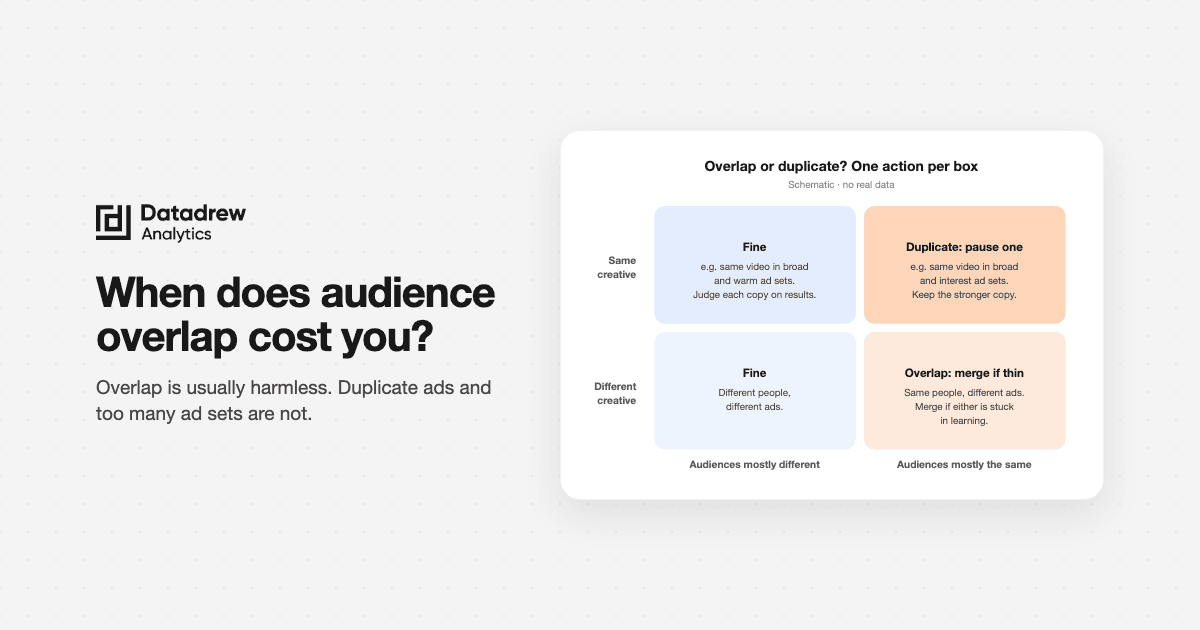
Audience overlap on Meta is usually not the problem people think it is. Meta won't let two of your ad sets bid against each other in the same auction. It picks one and drops the rest. Overlap costs you money in two cases: when it starves an ad set so it never leaves learning, and when the same ad runs in two ad sets that reach the same people. Both are signs of one deeper problem: too many ad sets for the number of purchases you get.
This guide comes from real audits run by Drew, DataDrew's AI ads agent for Shopify. In the last month, one agency asked Drew the same question across several brands: "Is my structure overlapping before I launch the sale?" We don't name the agency or the brands. Worked examples use invented round numbers.
TL;DR
- Overlap is a symptom. Meta enters only one of your ads per auction. Two ad sets with shared people won't double your costs on their own.
- It hurts when an ad set can't get enough delivery to finish learning (about 50 purchases a week) or when the same creative runs twice for the same people.
- Duplicate ads across broad and interest ad sets are the real waste. Broad already reaches the interest crowd. Pause the weaker copy.
- Duplicates across broad and warm ad sets are usually fine. They reach different people.
- Check the boring things first: is your "Advantage+" campaign really Advantage+? Do your exclusions actually work?
- Before a sale, audit 7 to 14 days out. Launch sale creative as new ads or ad sets. Don't edit ad sets that are still learning in the last 72 hours.
What is audience overlap on Meta?
Audience overlap means the same person qualifies for two or more of your ad sets. If ad set A targets "parents, 25 to 45" and ad set B targets "toy shoppers, 25 to 45," plenty of people sit in both.
Meta's Audience Overlap tool shows this as a percentage. It compares saved or custom audiences, like two lookalikes or two website-visitor lists. Small audiences return no data.
Overlap is now close to the default. Advantage+ audience treats your interests and custom audiences as suggestions, not limits. So two Advantage+ ad sets with different "targeting" can reach almost the same people.
What is auction overlap, and do you really compete with yourself?
Auction overlap is what happens next. When two of your ads qualify for the same auction, Meta doesn't enter both. It enters the one with the highest total value (bid, estimated action rate and ad quality) and drops the other.
So you don't bid against yourself. Meta built the system to stop exactly that.
The cost is quieter. The ad set that keeps losing the internal pick gets less delivery. If that happens often, it stays in learning, spends unevenly, and looks like a loser when it never got a fair run.
When does audience overlap actually matter?
Overlap matters when it changes delivery. Ask three questions:
- Is one of the overlapping ad sets stuck in learning or "learning limited"? If both have finished learning and hit your target, leave them alone.
- Do both ad sets promote the same thing to the same stage of buyer? Two cold ad sets for the same product split the same signal. A cold ad set and a warm one have different jobs.
- Is the same creative running in both? That's duplication, and it's covered below.
There's no official "bad" percentage. Practitioner guides float 20% or 30%. We'd ignore the number and look at delivery. In one audit, Drew found two warm ad sets sharing about 40% of their people, and two interest ad sets sharing about a third. The overlap wasn't the headline. The headline was that most ad sets in the account were still learning.
Why is "too many ad sets" the real problem?
Meta needs about 50 optimisation events (purchases, for most stores) in 7 days for an ad set to finish learning. Every extra ad set cuts the same purchases into smaller pieces.
Here's what that looked like in one Shopify brand's account:
- Close to 20 live ad sets and about 60 ads.
- Each ad set got roughly 1 to 2 purchases a day. That's around 10 a week, far short of 50.
- Most ad sets were still learning or "learning limited." Only a handful had finished.
- The account had about 200 edits in under three days. Many big edits can send an ad set back into learning.
Overlap made this worse, because the overlapping pairs split already-thin delivery. But merging the overlapping pairs fixed two things at once: less overlap and more purchases per ad set.
Our view: if your whole account gets fewer than about 50 purchases a week, run fewer ad sets, not "cleaner" ones. Two or three well-fed ad sets beat ten carefully separated ones that never finish learning. For how long a test needs, see how long to test Facebook ads.
Worked example 1: merging two warm ad sets
Invented numbers. Two warm ad sets each spend $50 a day. Each gets about 1 purchase a day, so about 7 a week. Both are learning limited. Their audiences overlap heavily.
Merge them into one ad set at $100 a day. Exclude purchasers (once you've confirmed the exclusion works, see below). Now one ad set gets about 14 purchases a week. That's still under 50, but it learns from twice the signal, and Meta stops choosing between your two ad sets for the same person.
Are duplicate ads across ad sets a problem?
Sometimes. A duplicate ad is the same creative (the same video or image) live in more than one ad set. Each copy is its own ad, with its own learning and its own likes and comments.
Whether it hurts depends on who the two ad sets reach:
- Broad or Advantage+ and an interest ad set: usually waste. Broad already reaches the people in your interest list. The two copies compete for the same people, and Meta only enters one. You split learning across two copies of one idea.
- Broad and a warm or retargeting ad set: usually fine. Warm reaches people who already know you. Different people, different job. Judge each copy on performance, not on being a duplicate.
- Two Advantage+ ad sets in the same campaign: waste. Same audience pool, same creative. Pick one home for it.
In one duplicate check, Drew matched ads on the actual video or image file, not the ad name. That matters because copies get renamed ("Copy 2," "Relaunch"). It found no ad running in two Advantage+ ad sets, so the brand's "one home per creative" rule was holding there. But five creatives were live twice. Three sat in a broad ad set and an interest ad set. In all three, the broad copy performed better. Two sat in a broad ad set and a warm ad set. Drew flagged the first three and called the other two lower priority.
It also didn't cut anything yet. The interest copies were under 7 days old, too young to judge. Drew gave a re-check date for each one instead.
Worked example 2: one video, two ad sets
Invented numbers. The same video runs in a broad ad set and an interest ad set. Over 7 days, the broad copy spends $500 at 2.0 ROAS. The interest copy spends $200 at 0.5 ROAS.
The interest copy isn't finding new people. Broad already covers them. Pause the interest copy and let the broad copy take the spend. If you want to test interests, give the interest ad set its own creative, so you learn something new.
Wait until both copies have run at least 7 days before you call it. Under that, you're reading noise.
Should you use the same post ID across ad sets?
If you do run one creative in two ad sets on purpose, use "Use existing post" (the same post ID). The likes, comments and shares stay on one post instead of splitting across copies. It doesn't fix overlap, but it keeps the social proof in one place.
What about the opposite problem: starved ads?
Duplication spreads one idea too wide. Starvation is the reverse: too many ideas in one place.
When you put dozens of ads in one ad set, Meta picks a few early favourites and gives them most of the budget. The rest get almost nothing. In one brand's account, Drew found about 55 proven ads relaunched into a single campaign. None of them delivered in 60 days. They looked like losers. They were never tested.
Drew's advice was to relaunch them as fresh ads in small groups, not to switch the old starved copies back on.
Worked example 3: 50 ads, 3 winners by default
Invented numbers. One ad set holds 50 ads at $200 a day. After a week, 3 ads take about 90% of the spend. The other 47 split about $20 a day between them, under $0.50 each.
You can't learn anything about those 47. Move the 3 into your main ad set. Test the rest 3 to 6 at a time, as in our creative testing framework.
How do you audit your Meta account structure before a big sale?
Run this 7 to 14 days before the sale starts. That leaves time to merge and let things settle before the busy week.
| # | Check | Where to look | Red flag | What to do |
|---|---|---|---|---|
| 1 | Is each campaign really the type its name says? | Campaign settings | A campaign named "ASC" or "Advantage+" that's a manual sales campaign | Rename it, and judge it as manual |
| 2 | Purchases per ad set per week | Ads Manager, last 7 days | Most ad sets well under 50 | Merge ad sets with the same job |
| 3 | Learning status | Delivery column | Many ad sets "learning" or "learning limited" | Fewer ad sets, fewer edits |
| 4 | Audience overlap | Audiences > Audience Overlap tool | High overlap between two cold or two warm ad sets | Merge if either is stuck in learning |
| 5 | Auction overlap | Account Overview recommendations, delivery trends | An ad set that keeps under-spending its budget | Pause the weaker ad set or merge |
| 6 | Exclusions that actually work | Audience sizes for website and customer lists | Website audiences showing a tiny or minimum size | Fix the pixel or customer list first |
| 7 | Duplicate creatives | Ads tab, matched by video or image, not name | One creative live in broad and interest ad sets | Pause the weaker copy after 7 days |
| 8 | Starved ads | Ads with ~0 spend in a live ad set | Proven ads with no spend for 30+ days | Relaunch fresh, 3 to 6 per ad set |
| 9 | Edit frequency | Account history | Many budget or targeting edits a day | One change per ad set every 72 hours |
| 10 | Existing customers in Advantage+ | Audience segment breakdown | Most spend going to past buyers when you want new ones | Add customer exclusions or a separate warm ad set |
Check 6 catches a lot. In one audit, about 13 of close to 20 ad sets had a purchaser exclusion that couldn't be working. The website audiences behind them showed Meta's minimum size, not a real count. On paper the account excluded buyers. In practice it didn't.
Check 1 also catches more than you'd think. In that same account, the campaigns named "ASC" were all manual sales campaigns. Nobody was lying. Names just drift as people duplicate and edit.
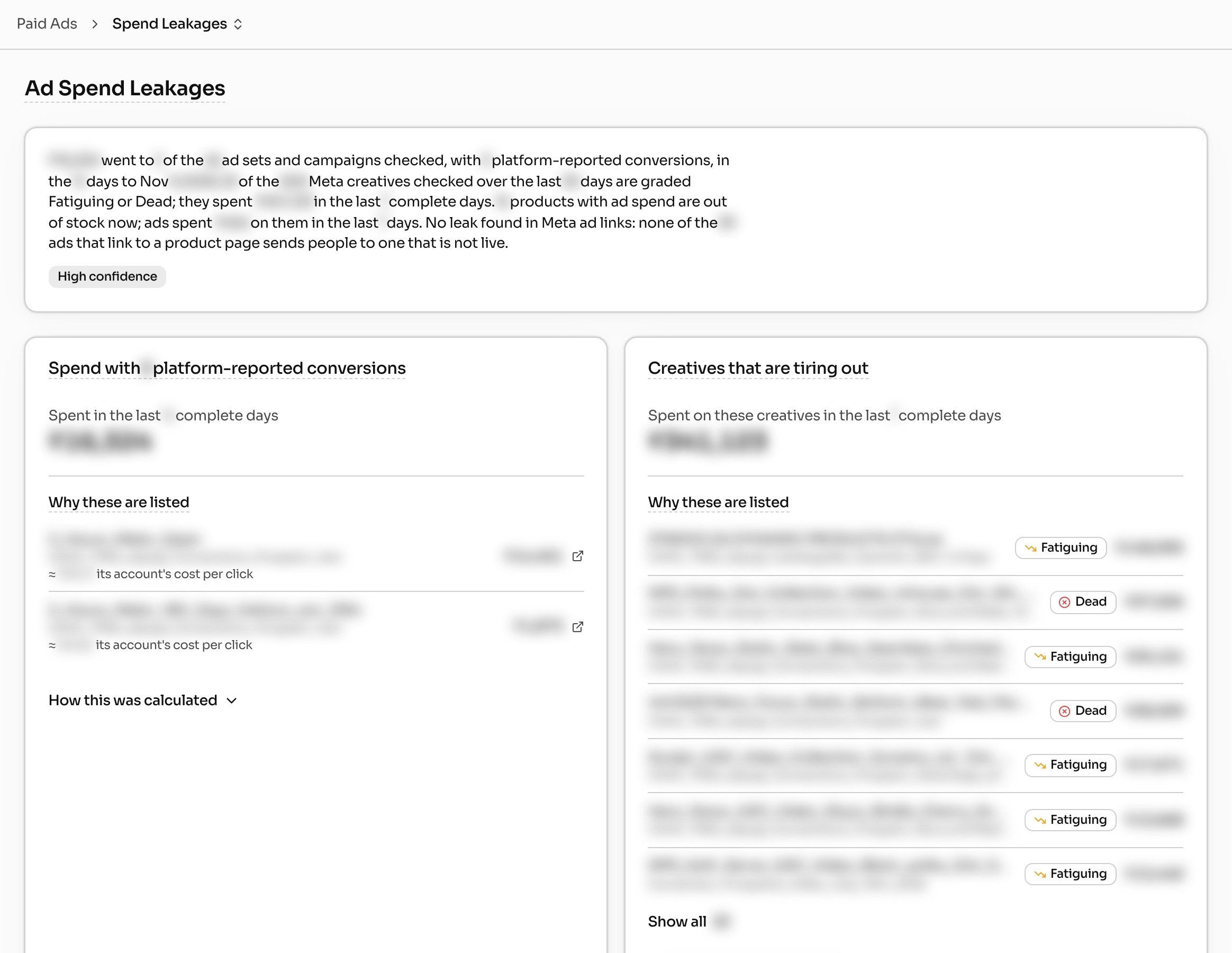
For the money side of the audit (tracking, placements, margin), pair this with our ad spend leakage audit.
Should you launch sale creative in manual, Advantage+, or a warm ad set?
This was the question one agency asked right before a big sale. Here's how we'd decide:
- Advantage+ sales campaign for most cold traffic. It's the easiest way to keep enough purchases in one place. Meta removed the old existing-customer budget cap in 2025, so check how much spend goes to past buyers and add exclusions if that's not what you want.
- A warm ad set for site visitors and engagers, with buyers excluded, but only if check 6 says your exclusions work. Warm creative answers doubts (price, quality, proof). It shouldn't be the same video as your cold ads.
- A manual interest ad set only if you have the purchase volume to feed it and a clear reason. In the duplicate check above, broad beat the interest copy every time.
Timing matters as much as type. Drew held one brand's targeting change because the ad set was learning limited and had been edited less than 72 hours before. Its advice: test the new audience as a separate new ad set in the sale campaign. Don't change the live one days before the sale.
For the full sale setup, see running a BFCM sale on Meta and Google.
How do you fix overlap without resetting learning?
- Merge by pausing, not editing. Build the merged ad set fresh. Move your best ads in. Pause the old ad sets once the new one is delivering.
- One change at a time, 72 hours apart. Keep budget moves to 10 to 20% at a time.
- Pause the weaker duplicate. Don't delete it. You keep the history.
- Leave finished, profitable ad sets alone, even if they overlap. If it's working, the overlap isn't hurting it.
- Decide what to cut and what to feed on profit, not on which ad set "owns" an audience. See cut or feed.
What can you ask Drew?
Drew reads your Meta ad account and your Shopify store. It tells you what's overlapping, what's duplicated and what to pause. You make the changes in Ads Manager. Paste this into Drew and change the dates:
"Audit my Meta account structure before my sale on [date]. For every live campaign, confirm its real type (Advantage+ or manual). For every live ad set, show learning status and purchases in the last 7 days. Flag ad sets with overlapping audiences, and any creative live in more than one ad set, matched on the video or image file, not the ad name. Check whether my purchaser exclusions can work, based on audience size. List ads with no spend in the last 30 days inside live ad sets. Then tell me which ad sets to merge, which duplicate to pause, and what not to touch in the 72 hours before launch. Say what you couldn't check."
The last line matters most. A good audit says what it didn't look at.
FAQ
Is audience overlap bad on Facebook ads?
Not by itself. Meta only enters one of your ads in each auction, so you don't bid against yourself. Overlap is a problem when an ad set can't get enough delivery to finish learning, or when the same ad runs twice for the same people.
What percentage of audience overlap is too much?
Meta doesn't publish one. Guides suggest 20% to 30%. We'd check delivery instead: if both ad sets have finished learning and hit your target, the percentage doesn't matter.
Does Advantage+ audience cause overlap?
Yes, often. Advantage+ audience treats your targeting as a suggestion, so two Advantage+ ad sets can reach almost the same people. That's why the Audience Overlap tool tells you less than it used to for Advantage+ ad sets.
Can I run the same ad in multiple ad sets?
Yes, if the ad sets reach different people, like broad and warm. Avoid it between broad and interest ad sets, or two Advantage+ ad sets in one campaign. If you do it on purpose, use the same post ID to keep the likes and comments together.
Where is the Audience Overlap tool in Meta Ads Manager?
In the Audiences section. Select the saved or custom audiences you want to compare and choose to show audience overlap. Small audiences return no data, and Advantage+ ad sets aren't limited to the audiences you compare.
Should I exclude past buyers from my Advantage+ sales campaign?
If you want new customers, yes. Meta removed the old existing-customer budget cap, so the campaign can spend on past buyers. First check that your customer list or website audience is big enough for the exclusion to actually work.
If a winner fades after you merge or move it, read why your winning ad stopped working.