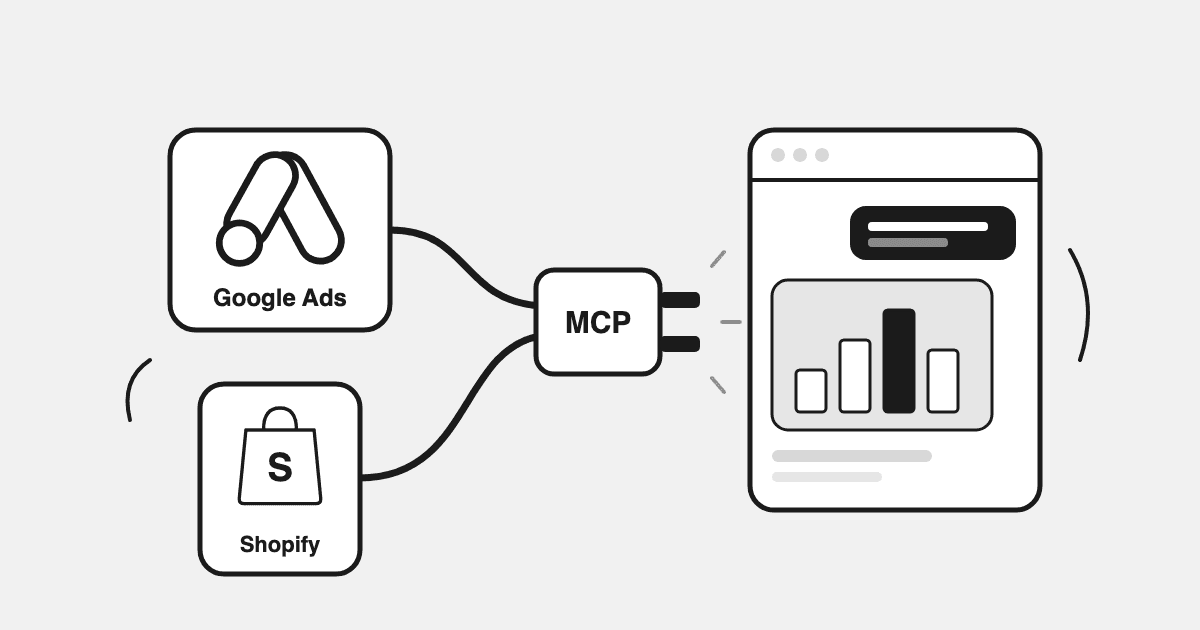
"added up what meta and google each claim they drove. it's more conversions than orders i actually got." That is how operators put it to each other in our July 2026 problem research, and it is why a Google Ads MCP on its own does not settle the argument. No attribution model settles it either. Arithmetic against the Shopify order count does, and a connector that only sees the ad account cannot run the sum.
So if you are a Shopify founder-operator, growth lead or agency media buyer who already does half your thinking in Claude or ChatGPT, you want Google Ads in the chat, Meta next to it, and the Shopify orders both platforms claim to have caused, so you can see how many of those claims the order count can actually support. This is the setup guide for that, checked against Google's, OpenAI's and Anthropic's own pages and Datadrew's help centre on 10 September 2026, across three routes: Google's official server, a connector you build, and Datadrew's MCP.
Key Takeaways
- → Google's official Google Ads MCP server is open source, strictly read-only, runs locally by default, and returns Google Ads alone. No Shopify, no Meta.
- → Datadrew MCP (
https://mcp.datadrew.io/mcp) is free to connect on every plan; analyst tools such as cohort LTV need AI Intelligence or AI Ads Agent. - → Datadrew's MCP is read-only by design; execution is not something Datadrew does through MCP.
- → Google's and Meta's ROAS cannot be ranked against each other. The ten prompts below only work because ads and orders share one socket.
Google Ads MCP Options: Google's Official Server, a Connector You Build, or Datadrew's
Verified 10 September 2026 against Google's MCP server docs, the google-ads-mcp README and Datadrew's help centre.
| Scope | Google's official Google Ads MCP | A connector you build | Datadrew MCP |
|---|---|---|---|
| Data covered | Google Ads only, any GAQL query | Whatever you wire, usually one platform per server | Google Ads, Meta, Shopify orders, products, customers and inventory, GA4, Search Console, Klaviyo, 15+ sources (Amazon Ads and others as data sources) |
| Read vs write | Strictly read-only: "cannot modify bids, pause campaigns, or create new assets" | Your choice | Read-only by design: cannot pause campaigns, edit budgets or place spend |
| History | The API's answer for your date range | The API window, unless you build storage | Daily warehouse history for the sources Datadrew syncs (Shopify, Meta Ads, Google Ads, Klaviyo); other sources are read live from their APIs |
| Definitions | Google's fields, as reported | Per query, by whoever wrote it | CAC, ROAS, MER, LTV defined once |
| Multi-store | Manager access via login_customer_id | Per-client servers and tokens | One active shop, switched by prompt, isolated |
| Cost | Free, open source | Engineering time, then maintenance | Free to connect on every plan; analyst tools need AI Intelligence or AI Ads Agent (pricing) |
Google's official server: read-only GAQL on your own machine
Open-sourced by the Ads API team on 7 October 2025 (announcement). As of 10 September 2026 it exposes list_accessible_customers, search (GAQL) and get_resource_metadata, and Google labels it "Read-only (current release)"; the announcement adds that it "will not make changes to your account." It runs locally over stdio by default, needs a developer token with at least Explorer access plus OAuth 2.0 or a service account, and takes a login_customer_id for manager accounts. Google's docs show a generic host settings-file example (the sample path is ~/.gemini/settings.json); the README lists Antigravity, Claude Code, Cursor and VS Code; Claude Desktop is not named. For a Google Ads specialist who wants GAQL in a chat, it is the cleanest route.
A connector you build: a respected project with a maintenance bill
One server for Google Ads, one for Meta, Shopify's own MCP for the store, a Claude Project to stitch them. It works. It does not stay built: API versions retire, tokens expire, and once two people define "ROAS" two ways the numbers stop agreeing. If you will maintain it, start with which Shopify MCP you actually need, then connecting Shopify to Claude for a live dashboard.
Others selling into the same space, in their own words
From their own pages: Ryze AI lists 14 Google Ads tools, eight read and six "approval-gated write", free to connect, paid tier $89 a month (3 September 2026); Madgicx is Meta-only, 22 read and 27 write tools (its academy page, last updated March 2026), plan gating not verified; Triple Whale is read-only (moby:read) on eligible plans including Foundation, Automate and Enterprise (its help centre, 10 September 2026): "Triple Whale MCP gives external AI tools access to your data. Moby helps you take action on that data."
What an Ad-Account-Only Connector Returns, and Where It Runs Out
Google's numbers in isolation, which is right for operational work: search terms, pacing, asset-group diagnosis. It runs out at allocation, because Google's ROAS and Meta's ROAS are different measurements wearing the same name. Windows and models differ. Brand demand is claimed twice: Meta ad on Monday, brand search on Wednesday, both count the order. Meta counts view-through; search cannot. Brand search and retargeting skew to people who already bought. Shopping sells the feed, Meta sells the creative, so the same ROAS carries different margin.
So a 4.0x on Meta beside a 6.1x on Google says nothing about next week's money. That is a marginal question answered against Shopify orders: marginal ROAS, with the mechanics in blended ROAS across Meta, Google and Shopify. Blended MER is an efficiency ratio that credits every platform with all revenue. It is not attribution, and it does not have to be. Curtis Howland, DTC growth operator: "So they make budget decisions based on bad data. They over-invest in whatever platform tells the prettiest story." (Curtis Howland's newsletter)
The £21,000 nobody summed: a documented case
In one account documented in our July 2026 problem research, Meta and Google each self-attributed the same purchases. Roughly £4,200 a month was misallocated for five months, about £21,000, before anyone summed the two platforms' claimed purchases against the Shopify order count. The fix was boring arithmetic nobody had had time to run: a sum, which needs Google Ads, Meta and Shopify at the same daily grain with "conversion", "order" and "revenue" meaning one thing each. The join is the product.
A worked month, illustrative numbers
A Shopify brand at roughly $4M annual GMV, Meta plus Google Shopping. Illustrative figures, built to show the shape of the problem.
| Last month | Meta (platform-reported) | Google Ads (platform-reported) | Shopify (observed) |
|---|---|---|---|
| Spend | $58,000 | $27,000 | $85,000 total |
| Purchases / orders | 1,480 | 1,010 | 2,150 orders |
| Revenue | $232,000 claimed (4.0x) | $164,000 claimed (6.1x) | $348,000 real (MER 4.1x) |
| New customers | unknown | unknown | 1,247 (58% of orders) |
Read it across. Platforms claim 2,490 purchases against 2,150 orders that exist, so at least 340 claims are the same order counted twice. Blended CAC on new customers is $85,000 / 1,247 = $68, which neither platform can produce. And 6.1x does not mean Google deserves the next dollar; brand Shopping is in it, and so are returning customers who would have bought anyway, whichever platform first reached them.
Size the double-count in your own numbers
Arithmetic only. It does not assign credit, use a benchmark or know your margin. Use complete days; both platforms restate recent conversions after the fact, so yesterday's figure can move.
Run this on your own account every morning, without the spreadsheet. Connect Google Ads, Meta and Shopify in Datadrew, add the connector below, and ask Claude or ChatGPT to sum yesterday's platform-reported purchases against yesterday's Shopify orders. Connect Datadrew's MCP and start with prompt 2.
Setup: Connect Google Ads and Shopify to Claude, ChatGPT or Claude Code
Steps match Datadrew's help centre as of 10 September 2026. You need a Shopify store connected in Datadrew (install from the Shopify App Store), Google Ads connected under Integrations (the Google Ads integration) and Meta if you run it (Meta Ads integration). One URL everywhere, also shown under Settings → Datadrew MCP:
Name:      Datadrew
URL:       https://mcp.datadrew.io/mcp
Protocol:  Model Context Protocol (MCP), streamable HTTP
Auth:      OAuth 2.1, dynamic client registration + PKCE (browser sign-in)
Scope:     read-only
Claude Code:  claude mcp add --transport http datadrew https://mcp.datadrew.io/mcp
First prompt: "Using Datadrew, show Google Ads spend by campaign for the last 7 days next to Shopify revenue by day."
Claude Desktop and claude.ai
Settings (or Customize) → Connectors → Add custom connector. Name it Datadrew, paste the URL, click Add (Desktop) or Connect (claude.ai). A browser window opens for Datadrew sign-in; with more than one store you pick one, and on claude.ai you enable the connector from the message-box menu. Anthropic lists custom connectors on Free, Pro, Max, Team and Enterprise, with Free limited to one (Anthropic support, 10 September 2026).
ChatGPT
Turn on developer mode in ChatGPT settings, add a custom connector with the same URL, sign in, pick the store, enable Datadrew in the chat's tool menu. As OpenAI states it on 10 September 2026: full custom-connector support is for Business, Enterprise and Edu workspaces; Pro users "can connect MCPs with read/fetch permissions in developer mode" (OpenAI help centre). Read-only is all Datadrew's server needs. Web only; Free not listed.
Claude Code and other clients
claude mcp add --transport http datadrew https://mcp.datadrew.io/mcp; the first tool call opens a browser for sign-in (Claude Code docs). Cursor, Windsurf, Zed, Continue and self-built clients use the same URL; the protocol lives at modelcontextprotocol.io.
Read Scope, Stated Plainly: What Each Connector Can and Cannot Change
Every tool Datadrew's MCP exposes reads: orders, products, customers, inventory, ad performance, traffic. It cannot pause campaigns, edit budgets or place spend. It cannot create, edit or delete anything in your store, change Datadrew settings or billing, reach a platform you have not connected, or see another Datadrew account.
- → Tokens. The client holds a 1-hour access token and a 30-day refresh token. It never sees your password or platform keys.
- → Revoke. Profile avatar → Connected AI assistants → Revoke (also under Settings → Datadrew MCP). The refresh token dies at once; an issued access token lasts up to its hour, so also remove the connector in the client if you need it cut now.
Meta's official Ads MCP, for context, can "create, edit, and delete campaigns, ad sets, and ads" from the conversation, open to any developer's Meta app since 16 July 2026 (Meta for Developers). That is Meta's own server; Datadrew's connector does not write to Meta either. Sarah Stemen's rule for Google's own automation applies to a chat with write access too: "Never use auto-apply. It gives Google carte blanche to change your account." (Search Engine Land) Datadrew is built to make and execute approved ads changes with guardrails, rolling out now. Nothing executes through MCP.
Ten Prompts That Only Work When Google Ads, Meta and Shopify Share One Socket
Each names what has to be joined, the shape of a good answer, and the live tool on mcp.datadrew.io that runs it (names verified 10 September 2026). All data is daily. The pass-through reads (google_ads_run_gaql, fb_ads_run_insights, shopify_run_shopifyql and the rest) work on any plan, including Free; the datadrew_cohort_* analyst tools in prompts 2, 3, 4, 8 and 9, and the creative-fatigue tool in prompt 5, need AI Intelligence or AI Ads Agent.
| # | Prompt | Joined | Shape of the answer | Live tools |
|---|---|---|---|---|
| 1 | "Google Ads plus Meta spend against Shopify revenue by day, last 14 days, with MER." | Two spend series, one revenue series | 14 rows plus the two worst days named | google_ads_run_gaql, fb_ads_run_insights, shopify_run_shopifyql |
| 2 | "Sum yesterday's Meta purchases and Google conversions against Shopify orders, new vs returning; size the double-count." | Platform claims, observed orders, first-order flag | Claims, orders, floor overlap, returning share; no credit | fb_ads_run_insights, google_ads_run_gaql, datadrew_cohort_new_vs_returning |
| 3 | "Shopping and PMax spend by product, last 30 days, next to product revenue and repeat rate." | Product spend, revenue, repurchase | Approximate product-level ROAS (spend is not attributed per product) beside repeat rate | google_ads_run_gaql, shopify_run_shopifyql, datadrew_cohort_repurchase_rate |
| 4 | "3- and 6-month cohort LTV for customers acquired in March, against blended CAC that month." | Cohort orders, total spend, new-customer count | LTV, blended CAC, payback; cohort-level, never per campaign | datadrew_cohort_ltv, both ad tools |
| 5 | "Which Meta creatives show fatigue this week, and which Google search terms converted best?" | Creative engagement vs baseline; search terms | Fatiguing creatives and winning terms as briefing material (engagement signals, never revenue per creative) | fb_ads_get_creative_fatigue, google_ads_run_gaql |
| 6 | "What moved yesterday versus the prior seven days, and is any of it outside normal variance?" | Ads, orders, sessions; the account's own variance | What changed, by how much, in range or not; "yesterday" is the last complete day | datadrew_load_skill, shopify_run_shopifyql, ga_get_traffic_sources, both ad tools |
| 7 | "Products under ten days of stock cover that still had Shopping or Meta catalog spend yesterday." | Inventory, sell-through, product spend | Product, days of cover, approximate product-level spend (not attributed per product). An analysis you ask for; a weekend leak surfaces Monday | shopify_get_inventory_levels, both ad tools |
| 8 | "Brand vs non-brand search spend, last 30 days, next to the returning share of Shopify orders." | Search spend by brand flag; first vs repeat orders | Two totals side by side: brand-search spend and the returning share of all orders. It cannot say which orders brand search paid for; it tells you whether a high returning share makes brand-search spend worth questioning | google_ads_run_gaql, datadrew_cohort_new_vs_returning |
| 9 | "Last week versus the week before: spend by channel, orders, revenue, MER, new-customer share." | Prompt 1 plus the customer split, two windows | Two columns, the same definitions every Monday | shopify_run_shopifyql, datadrew_cohort_new_vs_returning, both ad tools |
| 10 | "List my Datadrew shops." then "Switch Datadrew to [shop name]" (the client's store) and re-run prompt 9. | Nothing; the store scope changes | The shop list, then that client's report alone | datadrew_list_shops, datadrew_capabilities |
Ask for platform-reported and Shopify-observed numbers to be labelled. Prompt 5 is expanded in Meta ads creative analysis in Claude, prompt 7 in ad spend on out-of-stock products, prompt 4 in the customer LTV guide.
What's Behind the Socket: Six Things a Per-Platform Connector Cannot Return
MCP is a transport. Every vendor on this page speaks it, and so can a script you write on a Sunday. What differs is what sits behind the URL:
- → Blended math against Shopify orders. Spend and orders on one date axis, so MER, blended CAC and the double-count are one query.
- → One definitions spine. CAC, ROAS, MER and LTV defined once, for everyone.
- → Daily warehouse history. Shopify, Meta Ads, Google Ads and Klaviyo are stored daily, so "March cohort at six months" is a query. There is no thin API window to rebuild it from. Daily, not real-time.
- → Loadable method.
datadrew_load_skillpulls Datadrew's own analyst playbooks into the session: which tools an audit needs, which confounders and caveats belong in the answer. - → No writes through this door. A wrong prompt costs you a wrong table. Nothing gets paused.
- → Per-store isolation. One active store at a time, switched by prompt. Client data does not cross.
None of this makes the DIY route wrong. It is a respected project; most operators will not maintain it past the second API deprecation. The socket is the surface. The judgment behind it is the product: what Drew does with the same data inside Datadrew.
The Agency Version: One Connector, Every Client Store, Isolated
One connector is scoped to one shop at a time; you switch inside the chat: "List my Datadrew shops", then "Switch Datadrew to [shop name]". Every call after the switch is scoped to that store; the assistant cannot reach a client you have not switched to or another Datadrew account. Monday becomes prompt 10 then prompt 9, once per client. An India ops stack adds Unicommerce through the same connector; the live-dashboard version is in the agency section of connecting Shopify to Claude.
What Datadrew Does With This, and What It Doesn't Do Yet
Connect Datadrew's MCP from Settings → Datadrew MCP and ask Claude or ChatGPT for yesterday's Google Ads and Meta spend against Shopify revenue, product-level results and cohort LTV — one connector, one set of definitions, read-only by design (live today for connected accounts).
Status, exactly.
- → Live: conversational diagnosis across Shopify, Meta and Google (Diagnose Performance); budget recommendations with reasoning (Budget Recommendations); the creative leaderboard and deterministic fatigue detection; brand context; scheduled reports and alerts to Slack and email; agency multi-brand switching; this MCP.
- → Pilot: a diagnosis-grade daily brief is running on pilot accounts (the Daily Ads Brief).
- → Rolling out: Datadrew is built to make and execute approved ads changes with guardrails, rolling out now; nothing executes through MCP.
- → Not built as detectors: out-of-stock spend and low-margin SKU checks are analyses you run or ask Drew to run, as in prompt 7. Nothing fires on its own.
Margins are the margins you share with Drew; product-level ROAS is approximate; checks are daily.
Plans: Datadrew MCP is free to connect on every plan, including Free. The tools that read your own connected accounts work on any plan; the analyst tools whose answers Datadrew computes (cohort LTV, creative intelligence, competitor tracking) need AI Intelligence or AI Ads Agent. AI Intelligence is from $149/mo with a 7-day trial; AI Ads Agent is from $249/mo, early access by request. The Free plan needs no card.
Troubleshooting: Failed Tool Calls, Sign-Outs, Plan Requirements
- → Tool calls fail. The platform you asked about is not connected in Datadrew;
datadrew_capabilitieslists what the active store exposes. If the answer comes from general knowledge, say "Using Datadrew". - → Signed out, or wrong store. Thirty days unused means a fresh sign-in; "List my Datadrew shops", then switch.
Key Takeaway
A Google Ads MCP gets Google's numbers into a chat, and Google's official server does that well, read-only and free. It cannot answer where next week's money goes, because Google's and Meta's ROAS are not comparable and both claim orders the other also claims. That needs Google Ads, Meta and Shopify orders in one place, at one daily grain, with one definition per metric. Datadrew's MCP is that socket. The sum that would have caught £21,000 is prompt 2.
Frequently Asked Questions
How do I connect Google Ads to Claude or ChatGPT with an MCP server, and can it see my Shopify orders too?
For Google Ads alone, Google's official open-source server runs locally, needs a developer token and OAuth, and returns GAQL results read-only. For Google Ads next to Shopify orders and Meta, connect both in Datadrew, then add https://mcp.datadrew.io/mcp as a custom connector in Claude Desktop, claude.ai, ChatGPT or Claude Code, sign in, and pick the store.
Can you see my Shopify and Meta data? What did my store make yesterday?
Once Datadrew's MCP connector is added to Claude or ChatGPT and Meta is connected in Datadrew, yes: "Using Datadrew, what did my store make yesterday, and what did Meta and Google spend?" answers from your Shopify orders and both ad accounts for the last complete day. Data is daily, and both platforms can restate recent conversions after the fact, so re-run the sum a few days later before you act on it.
Meta says one number, GA4 another, Shopify a third. Which do I trust?
Trust Shopify for what exists: orders and revenue. Meta and Google report by their own windows and both can claim the same order; GA4 counts the sessions it saw. Label every number by who reported it, sum platform claims against Shopify orders, and use blended MER as the efficiency ratio; the longer answer is in which ROAS number you can trust.
Is a Google Ads MCP read-only, and can it change my campaigns?
Google's official server is strictly read-only in its current release; its docs say it cannot modify bids, pause campaigns or create assets. Datadrew's MCP is read-only by design and OAuth-scoped: it cannot pause campaigns, edit budgets or place spend. Meta's official Ads MCP, by contrast, can create and edit campaigns from a chat.
Which ChatGPT plan do I need for a custom MCP connector?
As OpenAI states it on 10 September 2026: Business, Enterprise and Edu workspaces get full custom-connector support; Pro users can connect MCPs with read and fetch permissions in developer mode, and OpenAI's developer docs also list Plus. Read-only is all Datadrew's server needs; web only, Free not listed.
Add the connector tonight and run prompt 2 tomorrow morning. Connect Google Ads, Meta and Shopify in Datadrew, then connect Claude, ChatGPT or any AI tool to your store and ad accounts. If the platform claims come out above your order count, you have found the double-count nobody was summing.
Written by Sumit Bansal, co-founder of Datadrew. Published 11 September 2026. Setup steps and platform facts were checked on 10 September 2026 and are linked inline.